Sermon Translation: How to Translate Church Services Live
Learn how to translate sermons live using a church mixer, USB audio input, multilingual captions, and listener QR codes. Includes a Sunday testing checklist.
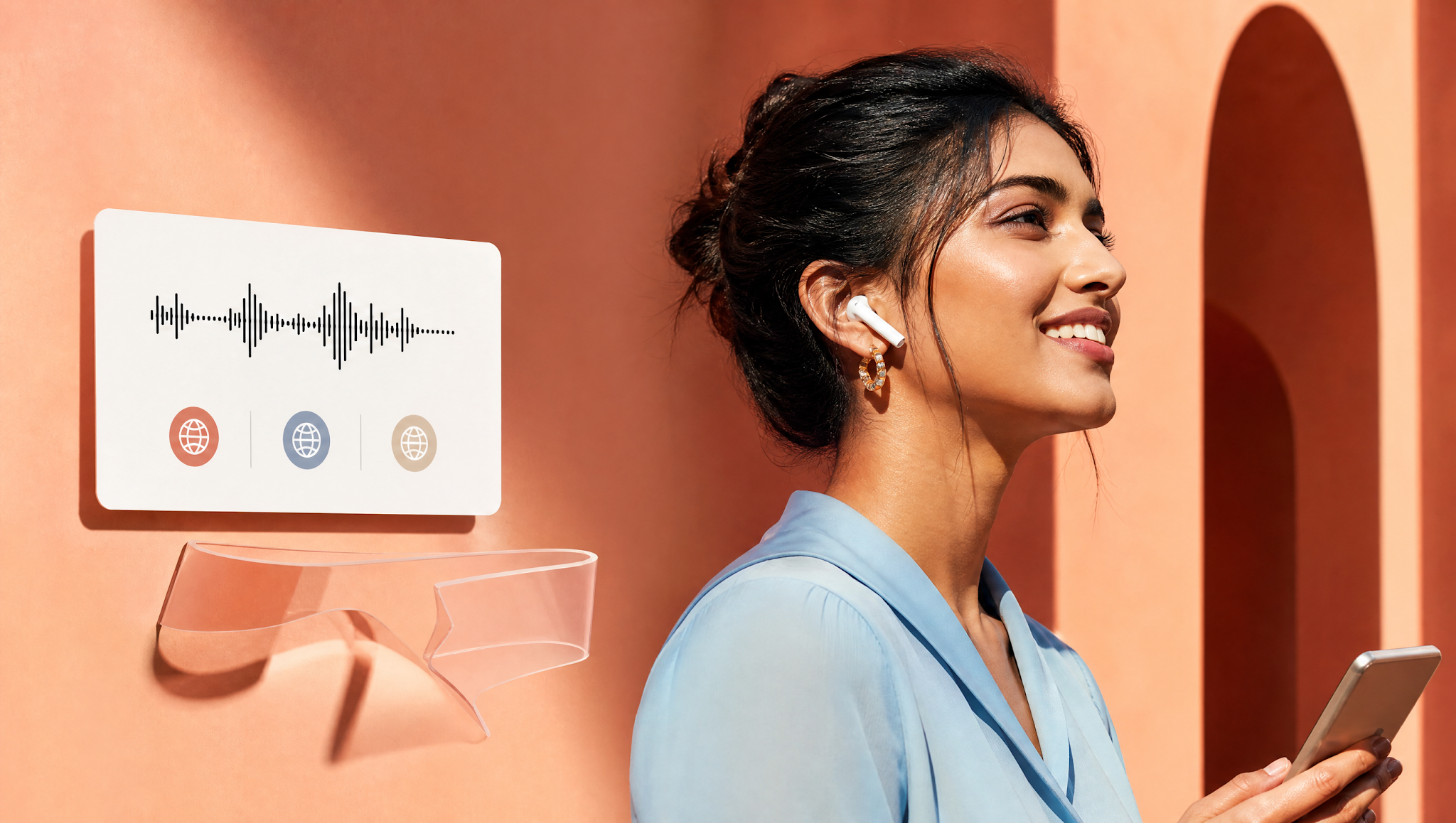
It's 9:40 on a Sunday morning. A visitor asks your greeter where the translation headsets are. About 21.7% of people age five and older speak another language at home, according to Census Bureau figures for 2018 to 2022. Someone in your pews may be waiting right now. So how do you translate a sermon live without a closet full of expensive receivers?

How Do You Translate a Church Service Live?
You send a clean copy of the pastor's voice into a translation tool, then let listeners pick a language on their own phones. Three routes work: a human interpreter with receivers, AI audio on phones, or synchronized captions. Most problems start earlier than the software: a muddy microphone, a mix full of drums, a weak connection, or a silent browser. This guide follows the signal step by step.
Key Takeaways
- •Start with a clean, speech-only copy of the pastor's microphone. Everything else in the translation chain depends on it.
- •Pick the route by your congregation's needs: human interpreter with receivers, real-time AI audio on smartphones, or visual captions.
- •Treat the five-minute rehearsal test as the real purchase decision. Run it with actual sermon vocabulary before Sunday morning.
- •Keep a human fallback ready for unexpected network drops and emotionally sensitive pastoral moments.
- •Run tests on your own audio gear, because sanctuary acoustics and soundboards behave differently in every room.
Let's examine the three core delivery routes, because each changes the equipment you need and who operates it on Sunday morning.
Three Ways to Translate a Live Sermon
A sermon can cross a language barrier in three primary ways. Many growing multi-ethnic churches run two methods concurrently. Here is a comparison cheat sheet before examining each route:
| Delivery Route | Works Best When | What the Listener Needs | Operational Trade-off |
|---|---|---|---|
| Human interpreter into receivers | One primary second language and a dependable interpreter | A borrowed physical receiver pack and headphones | Volunteer fatigue, battery management, lost headsets |
| AI-translated audio on attendee phones | Multiple languages (2–10+) or rotating international visitors | Personal smartphone, personal earbuds, and a QR scan | Requires stable sanctuary internet or cellular data |
| Live translated captions | Worshippers who prefer reading, reverberant rooms, or hard-of-hearing | Personal smartphone or an overhead sanctuary side screen | Visual distraction if typography or font size is poorly tuned |

Human Interpreter into Receiver Channels
One bilingual volunteer speaks into a headset microphone from a booth or back corner. A transmitter broadcasts that voice across a radio frequency, and listeners tune in with battery-powered receiver packs. You get warm human delivery, pastoral nuance on theological terms, and zero dependence on the internet.
The catch is weekly operational logistics: somebody must interpret every single Sunday, and somebody on the tech team must inventory packs, sanitize earpieces, and charge batteries. Our church interpreter vs. AI translation comparison examines the volunteer burnout dynamics in detail.
AI Translated Audio on Attendee Phones
Here software performs speech recognition, translation, and neural voice synthesis. The pastor's audio feed enters a computer, and translated voice streams out in whatever language each congregant selects. Attendees scan a QR code, pop in personal earbuds, and listen in real time.
As detailed on how Exbabel works, no dedicated receivers are handed out and no app store download or account setup is required. Production teams still own the audio engineering fundamentals: a clean microphone feed and a dependable internet uplink. Always verify voice options and supported languages on your plan before service.
Captions for Those Who Prefer Reading
Many worshippers read a second language far faster than they can comprehend spoken vernacular, while others dislike wearing earbuds in worship. Real-time translated captions displayed on attendee phones or projected onto dedicated side screens solve both hurdles.
Deaf and hard-of-hearing church members also benefit substantially from live visual text, though captions never substitute for a certified American Sign Language (ASL) interpreter. When projecting text, keep lines concise, choose high-contrast typography, and confirm legibility from the back pews. In Exbabel's system, text captions frequently support broader language variants than synthetic audio voices.

What You Need Before You Begin
The essential gear list is far shorter than most church committees assume. Table 2 contrasts a lean church setup with a fully staffed production booth:
| Component | Lean Setup | Staffed Sanctuary Setup | Requirement Status |
|---|---|---|---|
| Speech Source | One quality wireless microphone into USB interface | Pre-fader auxiliary send or matrix feed from console | Mandatory |
| Host Computer | Laptop running a modern browser (Chrome / Edge / Safari) | Dedicated sound booth workstation with audio interface | Mandatory |
| Internet Connection | Stable venue Wi-Fi or cellular backup | Wired Cat6 Ethernet directly to host computer | Mandatory |
| Audio Capture Interface | Direct USB mic receiver or 2-ch USB interface | Console USB-B out, Dante network card, or Scarlett interface | Depends on mixer |
| Attendee Access | Printed QR code flyers in lobby and pews | Sanctuary screen QR slide + pew cards + short web link | Mandatory |
| Accessibility Fallback | 5 pairs of inexpensive wired earbuds | Earbud basket + small pool of loaner smartphones/tablets | Recommended |
Step 1: Capture a Clean Speech-Only Microphone Feed
Neural speech recognition engines listen with mathematical precision. If you feed the translation tool your main sanctuary house mix—containing worship drums, acoustic guitar, organ rumble, and congregational applause—the transcription model will hallucinate or drop phrases.
Isolating the Pastor's Voice
Create a dedicated pre-fader auxiliary send, sub-group, or matrix output on your mixing console designated solely for translation. Assign only the pastor's wireless headworn or lapel microphone to this bus. Mute all music channels, choir microphones, and sanctuary ambient mics from this feed. Our comprehensive church mixer audio setup guide walks through configuring aux buses on Behringer, Allen & Heath, Yamaha, and Soundcraft consoles.
Gain Staging and Headroom
Proper gain staging prevents distortion before digital encoding. Trade publication ProSoundWeb notes that keeping signal peaks 10 to 15 dB below digital clipping (0 dBFS) protects vocal intelligibility. Set audio levels during rehearsal when the preacher speaks at their loudest passionate volume, then tape down gain knobs so curious hands cannot adjust them before service.
Step 2: Configure the Live Translation Session
With clean audio routed from your mixer, launch your host session. Set up the stream 15 minutes before doors open:
Select Host Audio Input and Source Language
In the host browser interface, select your dedicated audio interface (such as “Focusrite USB” or “X32 USB”) rather than the laptop's built-in microphone. Verify the source language matches the language spoken from the pulpit (e.g., English). Have a volunteer speak into the pulpit mic and verify the green input level meter bounces cleanly.
Select Target Languages and Output Modes
Select the languages your community genuinely needs rather than turning on dozens of theoretical options. A concise list of 2 to 4 well-tested languages (such as Spanish, Korean, or Portuguese) makes pew navigation painless. Enable both synthesized audio and synchronized captions if your plan supports it.
Verify Audio and Captions with a Second Device
Never rely solely on the host computer dashboard. Step out of the sound booth with a smartphone and earbuds, scan the attendee QR code, and listen as a worshipper. Confirm that audio streams crisply and that captions match the pastor's words. A second device reveals mobile network glitches that the hardwired booth computer will never display.

Step 3: Get Worshippers Connected
Even flawless translation fails if worshippers cannot locate the link. Joining must feel completely frictionless for a visitor holding a Bible in one hand and a coffee in the other.
Sanctuary QR Signage and Pew Cards
Print high-contrast QR codes and place them prominently on pew backs, entry doors, and printed bulletins. Display an announcement slide with the QR code on sanctuary projection screens during pre-service walkthroughs. As detailed in our church translation apps guide, provide a clean, short URL underneath the code for congregants whose camera lenses have trouble focusing.
Earbud Use and Mobile Browser Tap-to-Play
Modern mobile browsers—especially Apple WebKit on iOS Safari—enforce strict media autoplay policies requiring an explicit user tap before audio plays. Remind congregants during pastoral announcements to put in their earbuds, select their language, and tap the prominent “Listen Live” play button.
In-Room vs. Remote Broadcast Expectations
In-person worshippers hear the acoustic sermon in real time, with translated audio arriving a brief beat later. Advise in-person listeners to keep one earbud in and one earbud out to stay connected with the sanctuary atmosphere. Online livestream viewers experience standard video broadcast buffering, so their audio and captions synchronize naturally with the visual feed.
Step 4: Rehearse Before Sunday (5-Minute Test)
A quick five-minute rehearsal separates confident worship from Sunday morning panic. Run this standardized six-step protocol during your midweek tech check:
| Test Step | Procedure | Pass Criteria | Failure Indicator |
|---|---|---|---|
| 1. Mic Input | Read a 2-minute passage through pulpit mic with Scripture references | Meter active, zero distortion, no music bleed | Silence, 60Hz hum, or red clipping meters |
| 2. Listener Join | Scan QR code on test smartphone and select primary target language | Clear synthesized audio plays after single tap | Infinite buffering wheel or blocked permissions |
| 3. Captions | Verify synchronized text stream on listener display | Correct target language, clean typography | Untranslated source text or dropped phrases |
| 4. Linguistic Check | Bilingual reviewer evaluates biblical names and doctrine | Scriptural intent and proper nouns preserved | Theological distortion or garbled names |
| 5. Cellular Test | Disable Wi-Fi on phone and test stream over LTE/5G cellular data | Playback remains uninterrupted | Buffer stalls or connection timeouts |
| 6. Delay Log | Record live pulpit speech and listener earbud audio simultaneously | Measured delay logged on team sound sheet | Unmeasured guesswork |

Troubleshoot Common Failures
When audio anomalies occur mid-service, panic wastes valuable time. Use this diagnostic matrix taped directly beside the sound console:
| Observed Symptom | Root Cause | Immediate Corrective Action |
|---|---|---|
| Host shows no incoming audio | Console aux send muted or wrong USB interface selected | Unmute console aux master and confirm host audio input device selector |
| Distorted or garbled translation | Input gain staging too hot; signal clipping at interface | Reduce console aux send output level by 6–10 dB |
| Captions run but listener audio is silent | Phone volume low or Safari autoplay permission awaiting user tap | Instruct attendee to unmute device and tap the play icon |
| Smartphone fails to load stream | Sanctuary guest Wi-Fi blocking streaming ports | Advise listener to switch off Wi-Fi and connect via cellular LTE/5G |
| Translation lags significantly behind | Host laptop running background tasks or weak Wi-Fi uplink | Close unnecessary browser tabs and connect host computer via wired Ethernet |
| Venue broadband fails completely | ISP outage or router hardware crash | Switch host to cellular hotspot; activate printed bilingual bulletin notes |
AI, Human or Hybrid: What Changes
No single technological approach fits every church gathering. Funerals, solemn ordinances, and high-theology conferences call for human interpretation, whereas weekly sermons and community outreach thrive with AI scalability.
When a service centers on sensitive pastoral counsel, grief, or sacramental vows, having an experienced bilingual human interpreter present preserves empathy that algorithms cannot replicate. Furthermore, as emphasized under Department of Justice guidelines (ADA.gov), AI translation tools do not replace qualified sign-language interpreters for Deaf worshippers.
For regular Sunday preaching, AI translation dismantles barriers that historically excluded smaller language groups who could never justify a full-time volunteer team. Pairing AI software with a bilingual member who audits recordings afterwards provides continuous quality improvement while safeguarding pastoral accuracy.
Make Next Sunday Your Test Run
Start small. Route your pastor's microphone to a clean USB interface, open a test session, and listen on a smartphone in the back row. Running the five-minute checklist will teach your tech team more than months of brochure reading:
- Evaluating dedicated hardware? Read our church translation equipment buyer's guide.
- Navigating volunteer vs. automation trade-offs? Consult our church interpreter vs. AI breakdown.
- Examining QR joining frictionless workflows? Read our church translation apps guide.
Frequently Asked Questions
Can a Sermon Be Translated While the Pastor Is Still Speaking?
Yes. Human interpreters do this every Sunday, and neural AI systems can as well. Both operate simultaneously while the pastor speaks, introducing a brief processing delay. Neural models process speech in rolling sentence chunks. Production teams should measure the exact delay in their own sanctuary using a side-by-side recording test before advertising any latency figure.
Do Visitors Need an App or Dedicated Receivers?
Not with a modern browser-based system. Attendees scan a printed QR code or open a web link in Safari or Chrome without installing native software or creating an account. Traditional radio receivers remain an offline alternative, and keeping loaner headphones on hand ensures full accessibility for guests without smartphones.
What Equipment Does a Small Church Need?
A clean pastor microphone feed and a computer connected to stable internet are the minimum essentials. Attendees bring personal smartphones and earbuds. While a mixing console with an isolated speech-only auxiliary send makes audio capture cleaner, smaller ministries can start with a wireless microphone receiver plugged into a laptop USB audio interface.
What Should We Test with Spanish, Vietnamese and Other Language Variants?
Begin by testing biblical references, theological terms, and ministry proper names. Hand the translated audio stream to a native speaker representing your congregation's regional demographic (for example, Mexican Spanish versus Iberian Spanish), and verify priority languages against your current software plan before announcing them from the pulpit.
How Should a Church Recover if Captions Continue but Translated Audio Stops?
Check the listener's phone volume and verify they tapped the screen to satisfy browser media autoplay permissions. Next, reload the listener web page and reselect the language. If audio remains unresponsive, keep live captions running on the phone or sanctuary screen and direct worshippers needing audio assistance to a bilingual usher.
Source Log and Documented References
All external sources, trade references, and regulatory standards cited in this implementation guide are documented below:
| Organization / Source | Reference / Documentation | Application in Article | Citation Type |
|---|---|---|---|
| U.S. Census Bureau | Release CB23-208 (ACS 5-Year Estimates) | 21.7% non-English spoken at home demographic figure | Government Data |
| ProSoundWeb AV Media | Setting Sound System & Console Gain Staging | Audio gain structure, backing off 10–15 dB from clipping | Trade Publication |
| Apple WebKit Team | New Video and Audio Autoplay Policies for iOS | Explanation of why mobile Safari demands user gesture tap before audio | Platform Specs |
| ADA.gov Civil Rights Div. | Effective Communication Technical Guidance | Legal distinction of qualified sign-language interpreters as auxiliary aids | Statutory Guidance |
| Exbabel Audio Engineering | Live Service Architecture & Soundboard Guides | USB interface setup, pre-fader speech routing, and attendee browser access | Product Documentation |
Editorial Disclosure: Published by Exbabel. This article provides technical instructions and operational checklists for houses of worship. Acoustic behavior, mobile browser permissions, and sanctuary network architectures vary by facility. Always rehearse your signal chain with real church equipment before live broadcast.
Related Church Translation Insights
Church Translation Equipment: Hardware vs AI Options
Sunday, 9:40. A visitor hovers by the welcome desk and asks, "Anything in Spanish?" Here is what church translation equipment actually does, how RF receivers compare to phone-based AI, and how to model true three-year ownership costs.
Church TranslationChurch Translation Apps vs Browser Links and Headsets
A visitor scans your QR code, picks a language and hears nothing. WebKit says Safari needs a tap before audio plays. Here is what church translation apps really need to do—and why an app might not need to be an app at all.
Church TranslationAI Church Translation System for Live Services
Exbabel is a church translation system that turns live speech into translated audio and captions during the service. Attendees scan a QR code, choose a language, and follow the message on their own devices.
Bring Real-Time Translation to Your Church Next Sunday
Connect your audio console, share a QR code in the pews, and empower every worshipper to follow the sermon in their native tongue with sub-second audio and live captions.